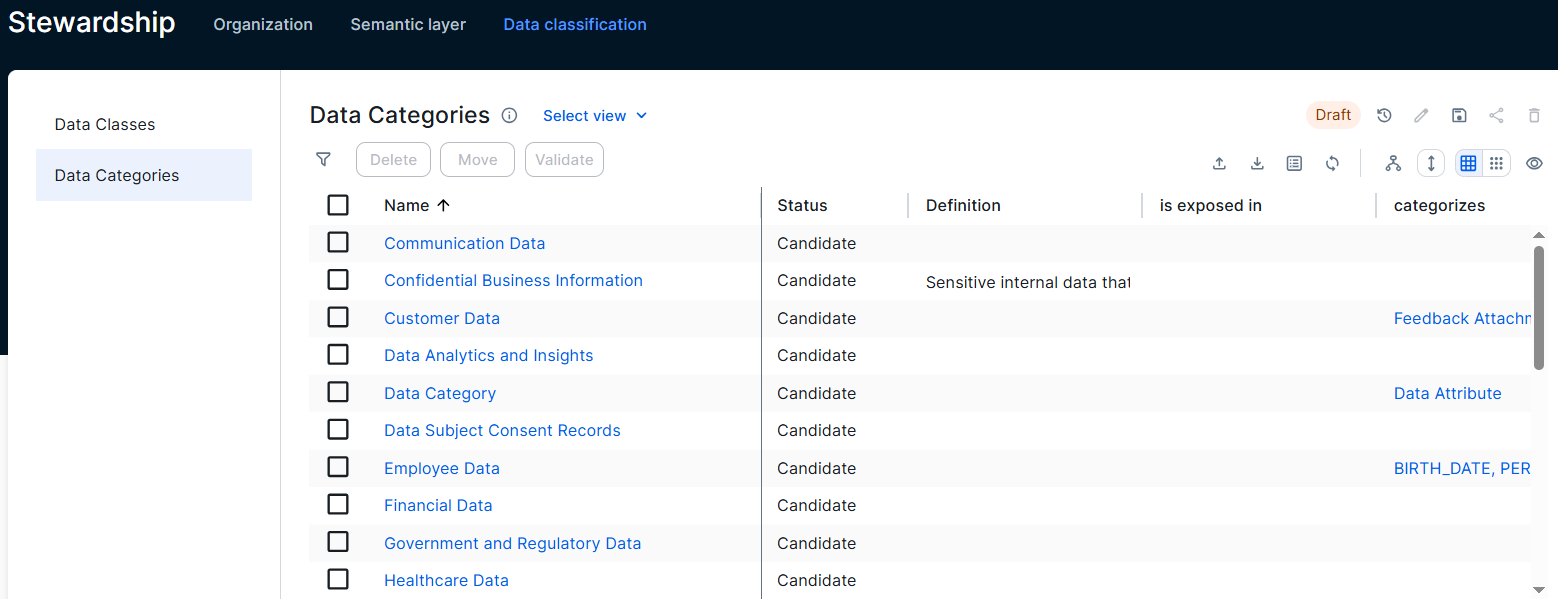
The Data Categories dashboard shows the defined Data Category assets and their details. Data Categories are helpful to categorize data on a high level, for example categories to define a privacy or security level.
This feature is available only in the latest UI.
To open the dashboard, go to Stewardship, click Data Classification, and then Data Categories.
You need a global role with the Product rights > Data Stewardship Manager global permission to open the dashboard.
To create new data categories, open a domain in which you can create Data Category assets, for example a domain with the Business Dimensions domain type, and click the Global create button. You need the following permissions to create data categories:
- A global role with the Product rights > Stewardship global permission.
- A resource role with the Asset > Add resource permission in a domain that allows Data Category assets.